Don’t let your video meeting go to the dogs with bad audio
Remember that Gary Larson Far Side cartoon where the Man says to his dog “Bad dog Ginger!” and the dog is wagging its tail and we see that what the dog actually hears is “Blah blah Ginger”?
Sometimes it’s like that in a video call: the person talking might look great, but if you can’t hear them well it’s very hard to maintain a high level of engagement. Audio — not video — is always the most important component in a video call.
Think about it at the ends of the spectrum. If you can hear okay, but you can’t see a person, you can still communicate. If you can see the person, but you can’t hear – it’s not really possible to have a video meeting (signing not withstanding).
So that’s pretty black and white. But it’s easy to overlook the negative impact of audio that works but is poor quality.
If it’s hard to hear, the brain must work hard to “interpret” the words being spoken, in addition to the primary task of understanding the meaning or context, and it becomes exhausting. Have you been in conversations where the talker has a strong accent or isn’t speaking a language in which you are fluent? You can understand most of what’s being said, but you must concentrate super hard to keep pace. When you can’t hear well in a video call, the same thing is happening. Sometimes it’s so bad, you just stop listening completely.
So how can audio quality be so variable on video calls and what can you do about it?
There are two completely different areas that govern audio quality. Understanding each can help you understand what you can do to sound your best and hear the best from others.
Audio processing and transmission
Transmission technology across the original telephone networks was all mandated by government agencies. But that effort to provide consistency of audio quality across public networks is no longer in effect.
Today, communication providers transmit your voice digitally using both switched digital networks and IP. Governmental and technical organizations attempt to define and recommend the use of standards, but rapid advancements have enabled new capabilities to be deployed quickly by vendors to address different requirements. Unfortunately, the technologies deployed are not all the same.
The same is true of the technology used to process audio – that is, to capture it, get it ready for transmission, then receive the audio data, and transfer it into the sound we hear. Quality, cost, speed, licensing, ease of implementation, and more all contribute to the now huge set of audio technologies that can be employed. Vendors choose to support some but not all. CDMA, GSM, EVS, HD Voice, G.722, AMR-WB, AAC-LD, Speex, Opus, Silk and more are all technologies you, as end users, don’t need to know anything about.
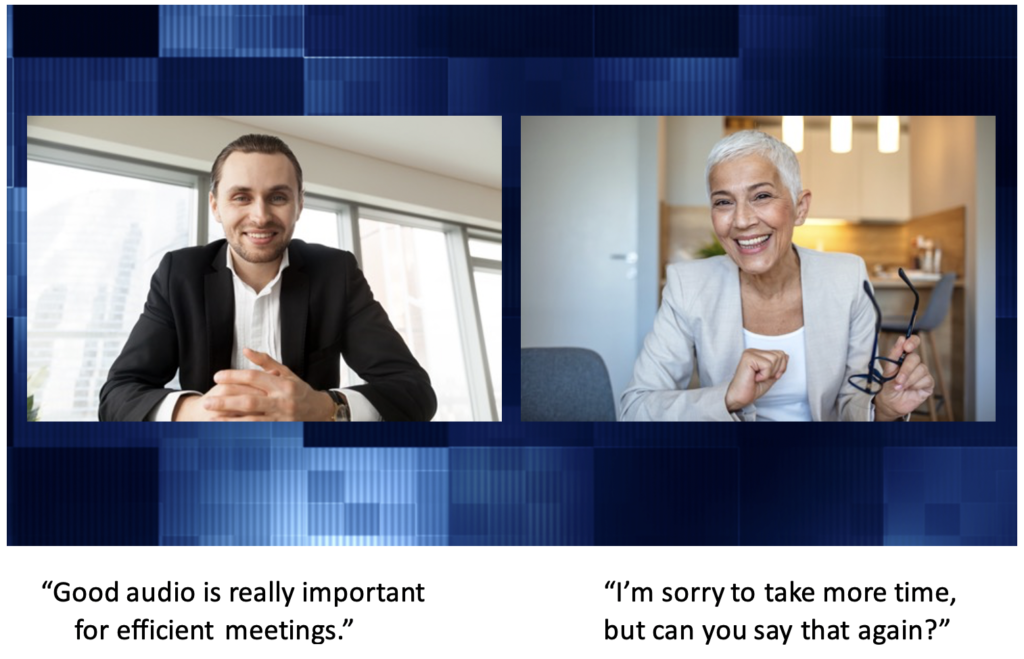
With a few exceptions like FaceTime, it Is usually possible to have a video call between differing platforms. Here, the audio quality is dependent on the best technology that is common to both platforms — in other words, the audio quality of the call is governed by the lowest-quality participant in the call, not the best quality.
Often, what is common to both platforms is not the best quality. So you might have better audio quality if everyone is on Zoom, and lesser quality if some are on Zoom and some are on Webex. Often you can’t do much about that, although if you can you should.
But if you can avoid joining a video meeting using the dial-in telephone numbers provided, odds are that you will sound much better. If you can’t be at your computer, use the native phone app for that platform: the audio processing will be dictated by the app, and the transmission will be IP the whole way. If you join with a dial-in voice call using your phone, you may be switched across a portion of the network that may not support the latest voice technology and so your voice is downgraded.
Your tech – your setup
Enterprise conference rooms have had technology available to provide excellent audio quality for quite a while. Personal computers, tablets and phones haven’t had great built-in technology as it was expensive, but the recent surge in personal video calling and now COVID-driven work from home has driven platform vendors to dramatically improve their capabilities.
Echo, which is when the person talking hears themself in their speaker, (but is caused by the listening person’s device), had been a real challenge and is now mostly eliminated with the latest generation devices. Using headphones and earbuds can often eliminate any echo since the remote sounds are not “heard” by the microphone. If you’re not using a headset or earbuds, your audio is also impacted by your microphones ability to transmit the acoustical characteristics of your room. If people say you sound like you’re in a barrel, consider adding some big plants or curtains or tapestries to the room to reduce audio reflections.
The clarity of your voice at the far end, and that of the person’s voice on your end is dictated by the audio processing capability, the mic and speakers of each person’s devices and the available bandwidth. An older laptop or tablet or phone might have mediocre speakers but also its lower processing power can impact the ability to process (encode/decode) the audio. Newer devices are just plain better. This also applies to headsets and earbuds too. Earlier models used technology that was a lower fidelity than most of those on the market today.
Equally as important is network bandwidth. Your audio and video are transmitted digitally in individual packets. These packets sometimes get lost and so they have to be re-transmitted. (That’s one of the reasons why there is a delay in a video broadcast or video meeting – to allow for the re-transmission of lost packets so your video and audio always look and sound clear). If there is a lot of loss, and your bandwidth is low, there isn’t capacity (or the time) to allow for re-transmission and so words are lost or audio sounds garbled. The best way around this is to mute your video which frees up bandwidth that can then be applied to audio. You’ll be amazed at the result.
How do you know if your audio sounds good to people on the far end? The only way is to test it. Do a video call with someone using the same device you typically use and ask them how you sound. When you connect to OpenExchange’s Video Test line, a real person will listen and provide advice. So call your mom, or your friend or your adult children. Your dog probably won’t be much help.